IC4 Applications
6 files
-
You like it old-school? Then this Welcome Header is for you!
It combines the charm of old boards with the modern look of Invision Community 4.x and great features for your members and guests.
You can show different info texts and buttons to registered users and visitors. The most important buttons are already available and can be enabled and disabled individually. You can also create an unlimited number of your own buttons!
Of course, information about the account - such as the number of posts or the current rank - is also displayed.
This application is a widget that can be placed anywhere via the block manager. However, as the name suggests, it is designed for the header or the actual content area and not for the sidebar.
Of course, it comes without any branding or visible copyrights.- 1 Downloads
Submitted -
Mobile first! This is not only Google's motto, more and more people are online with their smartphones these days. Therefore, it is very important to have a fast and easy navigation on your pages especially in the mobile view.
Nothing is more annoying than having to open a sidebar first and then navigate to sub-items to get to where you want to look up something quickly.
And that's where this plugin comes in. You can configure up to 10 buttons with whatever you want, they are always and everywhere visible at the bottom of your pages, there is no need to scroll down. Also the appearance can be easily adapted to your design.
Among other things, you can set ...
- Color and size of the icons, which can be selected individually from Font Awesome.
- Optionally display a text below the icons (also with color of your choice).
- Background color of the menu including transparency effect if desired.
- Even a choice of themes in which the menu should be displayed is possible.
- The now superfluous IPS navigation below the header can be hidden if desired.
What URLs you assign to the buttons is up to you. Instead of board functions, you can also create quicklinks for your social media sites or Discord servers.
There are also two small settings for fine-tuning if you use more complex themes or footers. The only thing that seems to be missing is a visible copyright :D
So what else is there to think about, your users will thank you for it ;)- 2 Downloads
Submitted -
This application is a combination of two essential plugins in one: Sticky Navigation and Sticky Sidebar!
It allows to "stick" the navigation bar and the sidebar while scrolling.
Optimized for the default IPS 4.7 theme, but also compatible with many others.
It can be selected in each case in which themes which feature is active.
A must-have, since Invision Community does not provide such features out of the box.- 2 Downloads
Updated -
This is a new version of my old Welcome Header plugin, but now as an application and with many more features!
As there are ...
Groups - Which user groups will see the image
Themes - In which themes it will be displayed
Pages - Display on request globally, on selected "Pages", or only above the forum. This system is quite extensible and can be extended to other applications like downloads, commerce and even third party applications if you don't want to have it everywhere automatically. Just ask me in the support thread if you are interested.
Button - The call-to-action can optionally be disabled.
Size - Height and width of the image can be configured separately for desktop and mobile.
Multilingual - All texts (headline, content and button) can be customized for any installed language!
And here it comes ...
Members - If activated, you can use a different image and completely different texts for logged in users. Of course also in every language.
All this as always without visible copyrights and completely for free.
What do you mean, it costs nothing? Is there no catch? No, I use it myself and like to share.- 2 Downloads
Submitted -
Yellow Pages is a fully functional business directory based on IPS Pages.
The main reason why we chose Pages as the basis for this directory is primarily to ensure compatibility with future IPS updates. In contrast to a stand-alone application, only minor adjustments are necessary and the future of your directory is secured.
With this database, you and your users can create an unlimited number of categories for all types of companies, whether local or international. The setup is prepared for all important company information, including support for Google Maps and Mapbox. Additional fields can easily be added by yourself.
It also comes with a fresh, modern look that perfectly matches the new IPS 4.5.x design.
Note: To make installation as easy as possible, the entire package is delivered as an application, but IPS Pages is still required.
And another not entirely unimportant piece of information: Yellow Pages was written in 2020 and was formerly a paid application. It is now free, but is no longer being developed or supported.- 3 Downloads
Submitted -
A page for your imprint, which is availiable when your site is in maintenance mode too.
Features:
Default editor can be used, with all available text formatting, images, HTML, etc.
Navbar link can be managed via the Menu Manager
Footer link can be switched on/off in the application settings
Translatable: You can create imprints for any installed language
Of course branding-free
Default imprint texts are not included, you can get them from eRecht24 and similar providers.- 0 Downloads
Updated





IC5 Applications
-
- 13 Downloads
-
- 15 Downloads
-
- 17 Downloads
-
- 9 Downloads


IC4 Applications & Plugins
-
- 1 Downloads
-
- 2 Downloads
-
- 2 Downloads
-
- 2 Downloads
-
- 3 Downloads
-
- 0 Downloads
-
- 1 Downloads
-
- 0 Downloads
-
- 0 Downloads
-
- 0 Downloads
-
- 0 Downloads
-
- 0 Downloads
-
- 1 Downloads
-
- 0 Downloads
-
- 1 Downloads
-
- 1 Downloads
-
- 0 Downloads
-
- 0 Downloads
-
- 0 Downloads









IC4 Themes
-
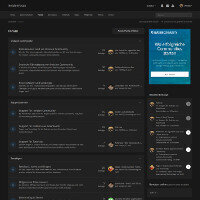
Bravo 6 (Dark Theme)
This is a modern Dark-/Night-Mode Design based on the new Invision Community 4.5 (and above) Theme. Lightweight, pure CSS, no additional graphics were used. 1.600+ Downloads and 5-star ratings only on the old Marketplace.- 3 Downloads
-
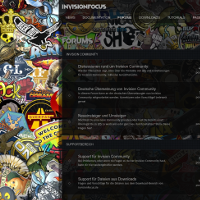
STRIKEFORCE (Dark Transparent Theme)
Ready to strike? Boost your community with a modern theme and stand out of the crowd. Not only for gaming sites, individualize the look to make it fit to your genre. Upload your own background image and use blur effects to focus on the main content. Change the transparency of the main site area or use solid colors instead. Use the pretty boxed layout with a bigger or fluid width. Easily add Font Awesome Icons to navigation and forums in the AdminCP. Stick the header to the top of the page or- 1 Downloads
-
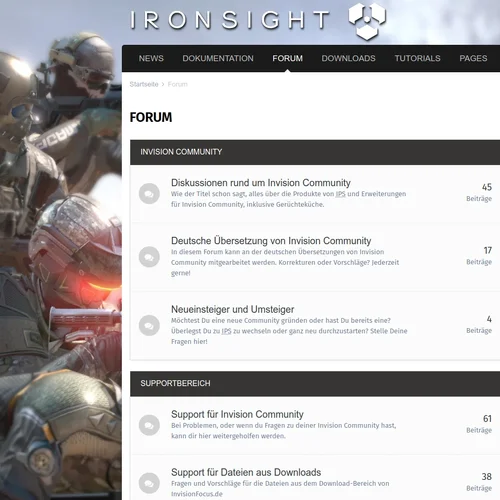
IRONSIGHT (Light Theme)
IRONSIGHT is a light theme for Invision Community 4.5 with basic white / grey colors and a nice layout. It's free and comes without any brandings or visible copyrights. This is no multipurpose themeframework and comes - believe it or not - without any additional template changes, only custom CSS and build in IPS 4.5 theme settings. Although it's not equipped with millions of additional AdminCP settings, it is customizable in many ways. As far as possible the default settings are used and for adv- 0 Downloads