Databases
6 files
-
- 0 Downloads
Submitted -
Shorts is something like Bimber for WordPress. Like a blog, but without text as content. It's more of a fun section. Authors can post pictures and videos, readers can rate and share (and of course comment).
All types of images supported by IPS can be uploaded, as well as videos in mp4 and webm formats. You can also embed clips directly from YouTube, Vimeo, Pornhub and xHamster.
This is not an application but, as the name suggests, a template set with an associated database. That's it, no custom settings, just what the basic software comes with.
SO ONLY INSTALL IT IF YOU KNOW YOUR WAY AROUND PAGES, HTML AND CSS!!!
I will do my best to answer the most important questions about the structure of the template itself, but more would go beyond the scope (after all, this is a free giveaway). It is therefore best to install it in a test environment first and only if you know what you are doing!
If you find bugs, I will of course fix them, but I will only implement feature requests to a limited extent.- 0 Downloads
Submitted -
This is a simple database to manage your partner sites, but it comes with a few nice features.
An entry consists of partner name, link, description and banner. If no banner is available, a default image is used, which can be stored in Pages Media or directly on your server. Images of any size can be used. The usual IPS editor with all text formatting etc. is available for the description.
In the overview, the banner leads to the external page, which opens in a new tab. If you wish, the page name will take you to the detailed view with the complete description, which is also displayed in abbreviated form on the overview.
The highlight is that you can display the partner links from the database anywhere on the page via custom blocks with all kinds of javascripts. Be it scrollers, sliders, tickers and whatnot, there are plenty of scripts available for free on the net.- 0 Downloads
Submitted -
TGP stands for Thumbnail Gallery Post. Wikipedia defines it as "an ad-financed site with thumbnails linking to external sites, usually used for pornographic content".
This is exactly what you can do with it, but also much more. And it works as follows...
You upload an image, give it a name and add a link to an external site. This can be any affiliate or partner site, even Amazon or whatever. If the visitor clicks on the thumbnail, this page opens in a new window or browser tab.
So far so good. Instead of working with external links, you can also write your own articles, just like with a normal CMS. As soon as a thumbnail is NOT assigned a link, you are redirected to an internal page that you can fill with your own content. There you can use formatted texts, image uploads and even HTML. Click on the image with the cell phone in this demo to see what I mean (the other images have Google as a link).
With a little imagination, you can also use this system like a normal image gallery. A thumbnail can be used as usual as a preview for the full image on the article page, or as an album cover for further images.
We don't use categories on this demo site, but the system gives you the option of creating as many as you like, including subcategories. If that's not enough for you, you can also work with as many instances as you like by simply installing this database several times. Simply use a separate gallery for vacation photos, one for photos of your pets and so on.
As usual, you can use group rights to control who can see what, use ratings or the normal comment function, automatically create threads and much more.
Don't be put off by the deliberately simple layout - after all, this is a Lite version.- 0 Downloads
Submitted -
Our bug tracker is a simple but efficient tool for bug management.
Please remember that this is a database and not a stand-alone application.
You therefore need IPS Pages and must manually create the page on which you want to use it.- 0 Downloads
Submitted -
This is a database for YouTube videos that is specifically designed for music.
However, you can also use it for other purposes by simply changing the preset categories, genres and field labels. The thumbnails are automatically pulled from YouTube, you don't need to upload anything yourself. You can find more details in the screenshots.
Please remember that this is a database and not a stand-alone application.
You therefore need IPS Pages and have to create the page on which you want to use it manually.- 0 Downloads
Updated







IC5 Applications
-
- 13 Downloads
-
- 15 Downloads
-
- 17 Downloads
-
- 9 Downloads




IC4 Applications & Plugins
-
- 1 Downloads
-
- 2 Downloads
-
- 2 Downloads
-
- 2 Downloads
-
- 3 Downloads
-
- 0 Downloads
-
- 1 Downloads
-
- 0 Downloads
-
- 0 Downloads
-
- 0 Downloads
-
- 0 Downloads
-
- 0 Downloads
-
- 1 Downloads
-
- 0 Downloads
-
- 1 Downloads
-
- 1 Downloads
-
- 0 Downloads
-
- 0 Downloads
-
- 0 Downloads

















IC4 Themes
-
Bravo 6 (Dark Theme)
This is a modern Dark-/Night-Mode Design based on the new Invision Community 4.5 (and above) Theme. Lightweight, pure CSS, no additional graphics were used. 1.600+ Downloads and 5-star ratings only on the old Marketplace.- 3 Downloads
-
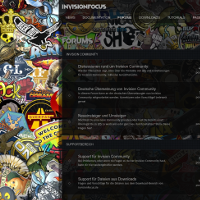
STRIKEFORCE (Dark Transparent Theme)
Ready to strike? Boost your community with a modern theme and stand out of the crowd. Not only for gaming sites, individualize the look to make it fit to your genre. Upload your own background image and use blur effects to focus on the main content. Change the transparency of the main site area or use solid colors instead. Use the pretty boxed layout with a bigger or fluid width. Easily add Font Awesome Icons to navigation and forums in the AdminCP. Stick the header to the top of the page or- 1 Downloads
-
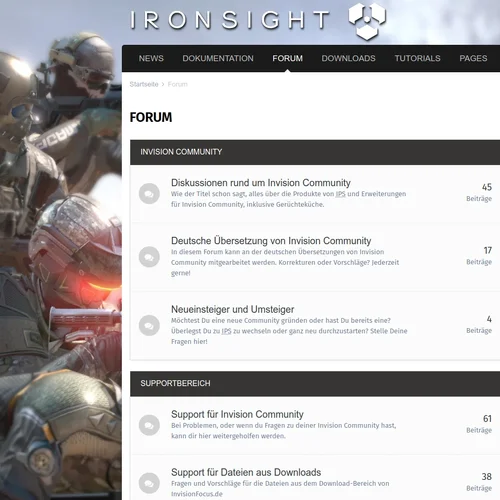
IRONSIGHT (Light Theme)
IRONSIGHT is a light theme for Invision Community 4.5 with basic white / grey colors and a nice layout. It's free and comes without any brandings or visible copyrights. This is no multipurpose themeframework and comes - believe it or not - without any additional template changes, only custom CSS and build in IPS 4.5 theme settings. Although it's not equipped with millions of additional AdminCP settings, it is customizable in many ways. As far as possible the default settings are used and for adv- 0 Downloads