

Jump to content
View in the app

A better way to browse. Learn more.

Afterlife

A full-screen app on your home screen with push notifications, badges and more.

To install this app on iOS and iPadOS
  1. Tap the Share icon in Safari
  2. Scroll the menu and tap Add to Home Screen.
  3. Tap Add in the top-right corner.
To install this app on Android
  1. Tap the 3-dot menu (⋮) in the top-right corner of the browser.
  2. Tap Add to Home screen or Install app.
  3. Confirm by tapping Install.

Blonde Fiction

  Kira Bangauf
  Studio One, Melle 04/07/2025  
  Sony A7 III, 50F18   45  0  

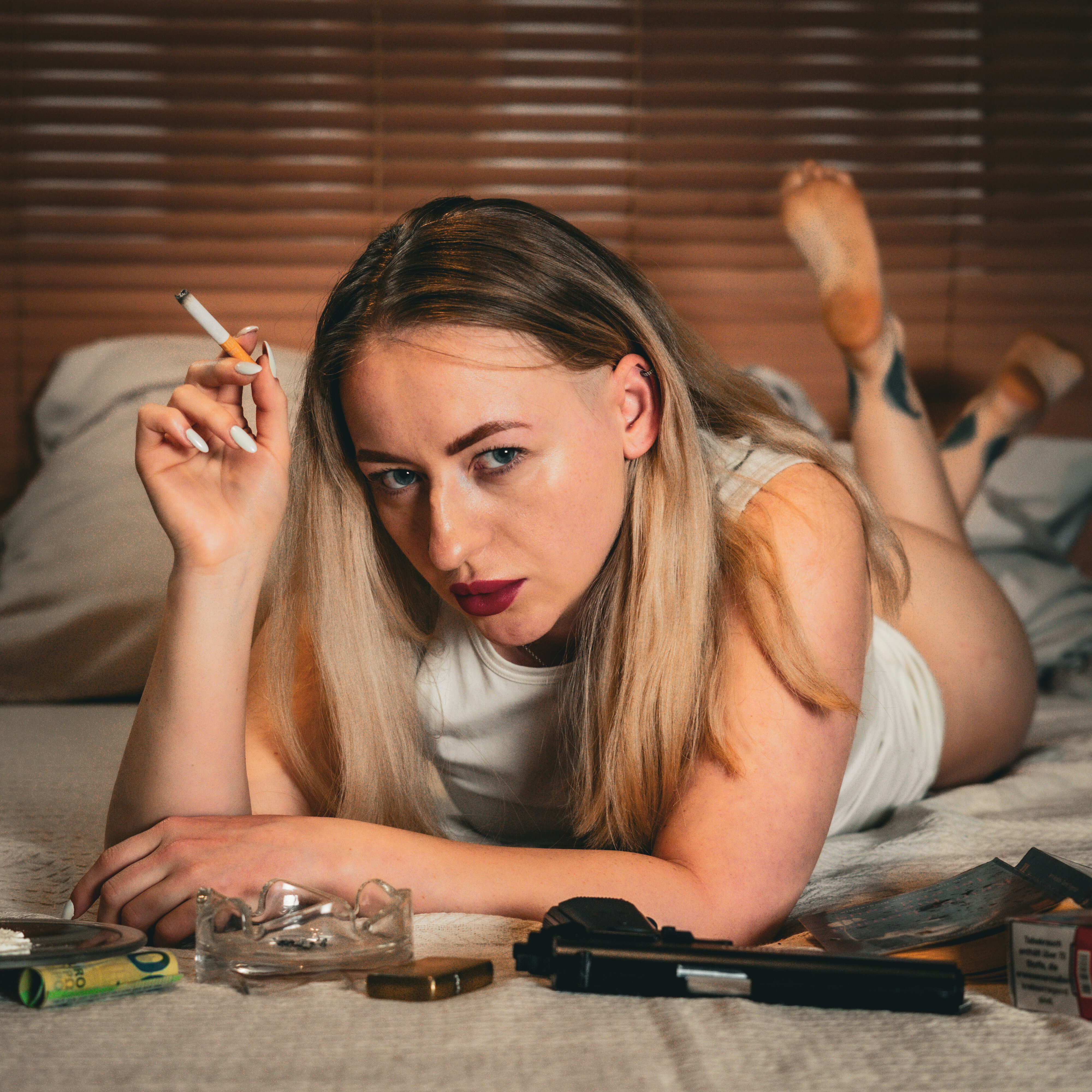
What if Mia Wallace was blonde, wore white, and stared straight into your soul? This photo reinvents iconic cool with a twist of light, femininity, and danger.

Sharp nails, sharper attitude - Kira Bangauf steps into the spotlight, and she owns it. Inspired by Pulp Fiction, this image flips the visual script while keeping the edge.

She doesn’t play a character, she rewrites the script. The same untouchable aura - with a clean, sharp, seductive twist. Danger never looked so refined.

User Feedback

Recommended Comments

There are no comments to display.

Join the conversation

You can post now and register later. If you have an account, sign in now to post with your account.

Guest
Add a comment...

Afterlife.to, Est. MMXXVI Powered by Invision Community

Important Information

This site uses cookies and stuff. You must be logged in to view explicit content.

Account

Navigation

Search

Configure browser push notifications

Chrome (Android)
  1. Tap the lock icon next to the address bar.
  2. Tap Permissions → Notifications.
  3. Adjust your preference.
Chrome (Desktop)
  1. Click the padlock icon in the address bar.
  2. Select Site settings.
  3. Find Notifications and adjust your preference.