



Skip to content
View in the app

A better way to browse. Learn more.

Afterlife

A full-screen app on your home screen with push notifications, badges and more.

To install this app on iOS and iPadOS
  1. Tap the Share icon in Safari
  2. Scroll the menu and tap Add to Home Screen.
  3. Tap Add in the top-right corner.
To install this app on Android
  1. Tap the 3-dot menu (⋮) in the top-right corner of the browser.
  2. Tap Add to Home screen or Install app.
  3. Confirm by tapping Install.
A group blog by Staff in Miscellaneous
  • Entries

    3
  • Comments

    0
  • Views

    719

Contributors to this blog

About this blog

Entries in this blog

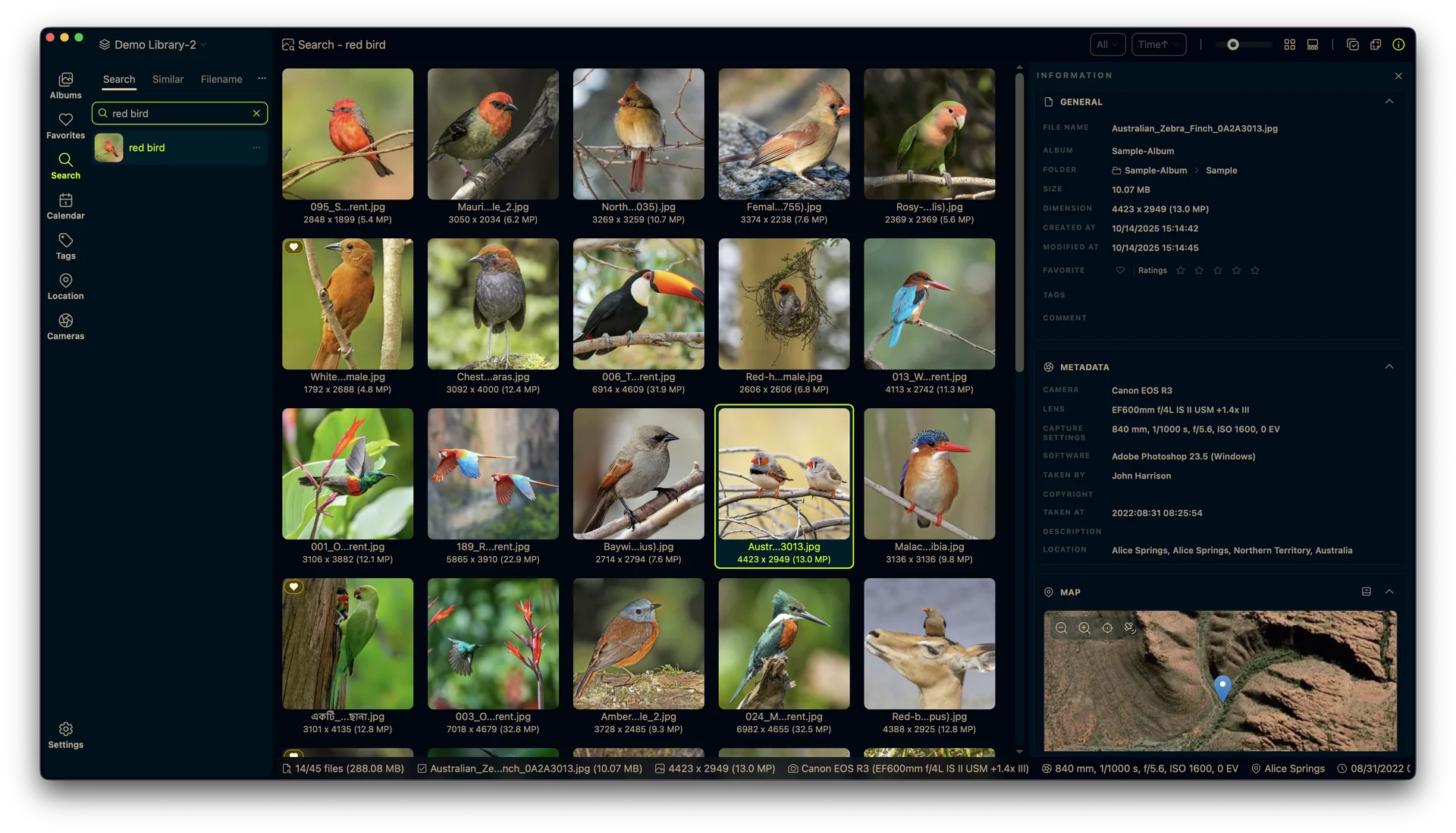
Habe ich gerade neulich noch mit Eagle ein sehr gutes Tool zur Bildverwaltung vorgestellt, bekommt dieses auch schon Konkurrenz: LAP. Es läuft ebenfalls auf eurem Rechner ohne integrierte Cloud-Funktion und wurde mit Rust, SQLite, Tauri und Vue erstellt, was es leichtgewichtig macht und gleichzeitig sehr große Sammlungen bewältigt. Der Unterschied zu Eagle ist allerdings, dass LAP auf eurer bestehenden Ordnerstruktur aufsetzt. Ausserdem ist es nicht nur gratis (wobei ich fairerweise anmerken mus

Afterlife.to, Est. MMXXVI Powered by Invision Community

Important Information

This site uses cookies and stuff. You must be logged in to view explicit content.

Account

Navigation

Search

Search

Configure browser push notifications

Chrome (Android)
  1. Tap the lock icon next to the address bar.
  2. Tap Permissions → Notifications.
  3. Adjust your preference.
Chrome (Desktop)
  1. Click the padlock icon in the address bar.
  2. Select Site settings.
  3. Find Notifications and adjust your preference.