


Jump to content
View in the app

A better way to browse. Learn more.

Afterlife

A full-screen app on your home screen with push notifications, badges and more.

To install this app on iOS and iPadOS
  1. Tap the Share icon in Safari
  2. Scroll the menu and tap Add to Home Screen.
  3. Tap Add in the top-right corner.
To install this app on Android
  1. Tap the 3-dot menu (⋮) in the top-right corner of the browser.
  2. Tap Add to Home screen or Install app.
  3. Confirm by tapping Install.

Classic Blue Reloaded 1.0.3

(0 reviews)

2 Screenshots

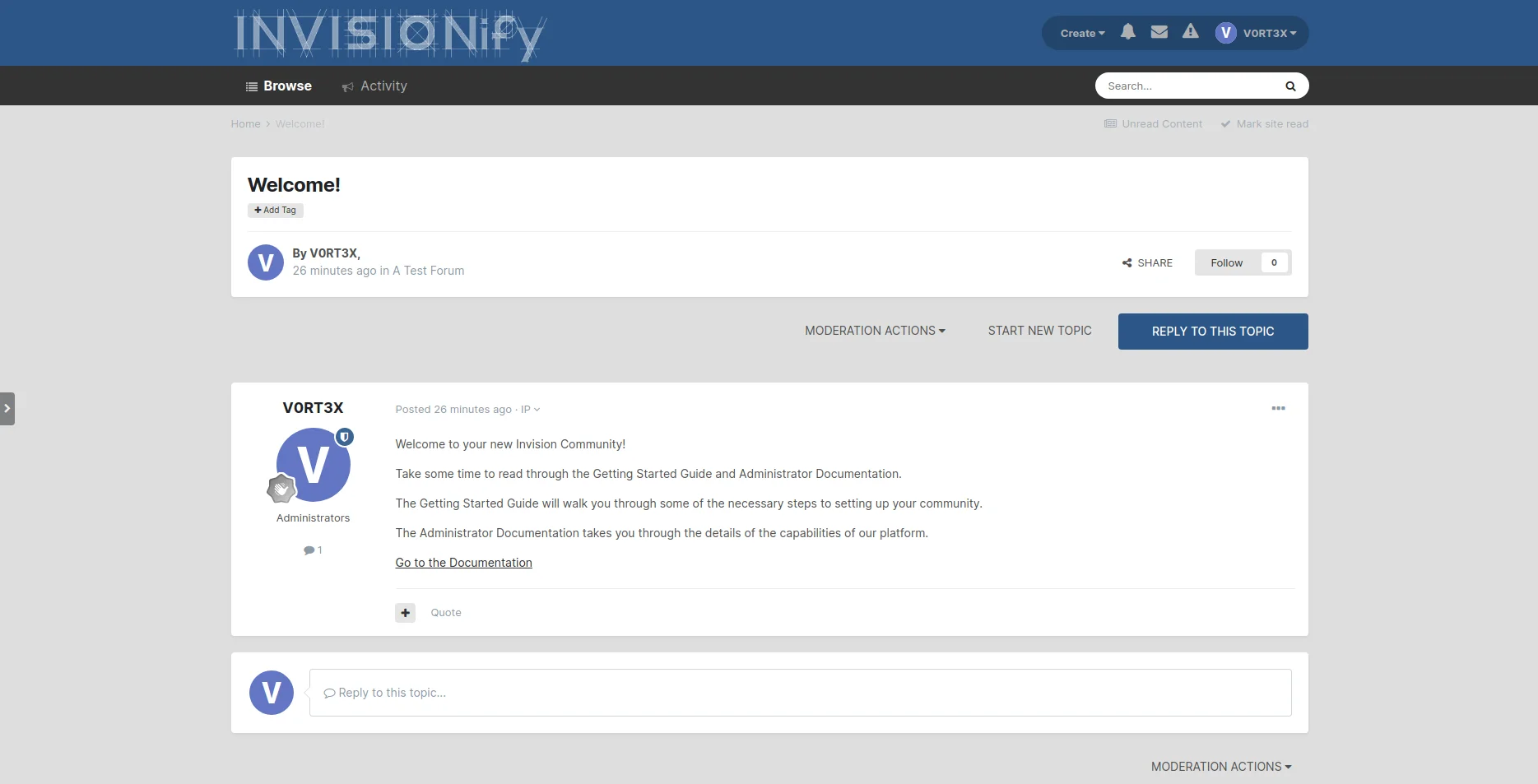
Dies ist eine Art "Remake" des Themes Classic Blue von Pete T, was bedeutet es wurde nicht einfach das alte Theme aktualisiert, sondern komplett neu erstellt. Ich habe dabei auf dem aktuellen Invision Community Framework aufgebaut, Farben übernommen und das eine oder andere ein bisschen aufgehübscht.

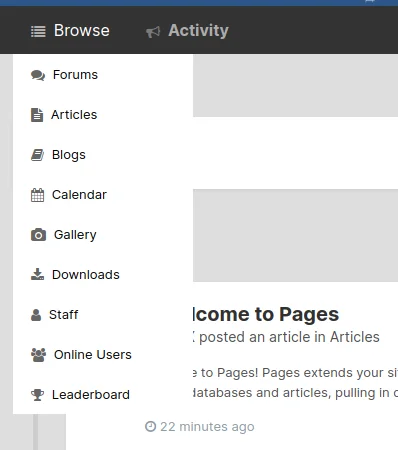
Das Theme ist komplett CSS basierend und kommt deshalb ohne extra Settings aus, um die Performance nicht unnötig zu beeinträchtigen. Ein Eyecatcher ist das Dropdown, das die untere Navigation ersetzt. Für die Icons wird Font Awesome verwendet und die Standardeinträge sollten soweit abgedeckt sein.

Dies ist ein free giveaway, wenn es euch gefällt viel Spass damit. Da das Originaldesign ja nicht von mir ist, wollte ich auch nicht mehr grossartig Arbeit reinstecken. Eine Live-Demo gibt es aus diesem Grund ausnahmsweise auch nicht.

User Feedback

You may only provide a review once you have downloaded the file.

There are no reviews to display.


Afterlife.to, Est. MMXXVI Powered by Invision Community

Important Information

This site uses cookies and stuff. You must be logged in to view explicit content.

Account

Navigation

Search

Configure browser push notifications

Chrome (Android)
  1. Tap the lock icon next to the address bar.
  2. Tap Permissions → Notifications.
  3. Adjust your preference.
Chrome (Desktop)
  1. Click the padlock icon in the address bar.
  2. Select Site settings.
  3. Find Notifications and adjust your preference.