Files posted by V0RT3X
-
While the old Mobile Menu plugin ensured that Invision Community 4 had a good menu on mobile devices in the first place, the new version is an extension of the menu already included in IC5.
With Mobile Menu Plus, you can add additional buttons to the standard menu and hide the text under the icons.
While the V4 version still worked with fixed slots, you can now add as many links as you want and sort them using drag & drop. There are two entry points available for this (directly at the edge or to the left of the search).
This is the first release, and more features are planned for future versions. If you have any ideas for improvement, feel free to post them in the support thread.- 33 Downloads
Submitted -
Another classic is finally available for IC5, and this time it has brought something with it...
As with the original plugin, you can not only add as many links as you want to your footer in no time at all, but you can now also choose whether they should be displayed before or after the standard links. Optionally, the extra links can be disabled in the mobile view to save space.
The really big innovation in this application is that you can now add social profiles too. You can choose which icon to use for this, as well as the background color when you hover over it.
So you could say you get two add-ons for the price of one, if it weren't free anyway ;)- 43 Downloads
Submitted -
Back 2 Top is back! This is the new version of my old IC4 plugin from 2021, now for Invision Community 5.
Completely recoded as it is now an application, but with all the old features, such as...
Themechooser - You can now choose where the plugin is active, if themes already bring a similar feature.
Icon selection - Choose from 5 "standard icons", or use a Font Awesome icon of your choice.
Color, size, transparency and positioning are also freely selectable.
NEW FEATURE: You can now choose an alternative color for the Dark Mode yourself.
As always, 100% free and, of course, without visible brandings.- 43 Downloads
Submitted -
New version of my old Live Clock plugin for IC4 and, incidentally, my first application for IC5, more for testing purposes.
I still find it quite useful, as I generally disable the clock in the OS.- 18 Downloads
Submitted -
You like it old-school? Then this Welcome Header is for you!
It combines the charm of old boards with the modern look of Invision Community 4.x and great features for your members and guests.
You can show different info texts and buttons to registered users and visitors. The most important buttons are already available and can be enabled and disabled individually. You can also create an unlimited number of your own buttons!
Of course, information about the account - such as the number of posts or the current rank - is also displayed.
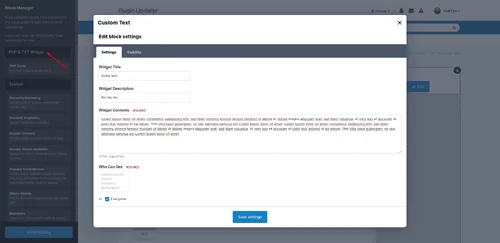
This application is a widget that can be placed anywhere via the block manager. However, as the name suggests, it is designed for the header or the actual content area and not for the sidebar.
Of course, it comes without any branding or visible copyrights.- 3 Downloads
Submitted -
Mobile first! This is not only Google's motto, more and more people are online with their smartphones these days. Therefore, it is very important to have a fast and easy navigation on your pages especially in the mobile view.
Nothing is more annoying than having to open a sidebar first and then navigate to sub-items to get to where you want to look up something quickly.
And that's where this plugin comes in. You can configure up to 10 buttons with whatever you want, they are always and everywhere visible at the bottom of your pages, there is no need to scroll down. Also the appearance can be easily adapted to your design.
Among other things, you can set ...
- Color and size of the icons, which can be selected individually from Font Awesome.
- Optionally display a text below the icons (also with color of your choice).
- Background color of the menu including transparency effect if desired.
- Even a choice of themes in which the menu should be displayed is possible.
- The now superfluous IPS navigation below the header can be hidden if desired.
What URLs you assign to the buttons is up to you. Instead of board functions, you can also create quicklinks for your social media sites or Discord servers.
There are also two small settings for fine-tuning if you use more complex themes or footers. The only thing that seems to be missing is a visible copyright :D
So what else is there to think about, your users will thank you for it ;)- 2 Downloads
Submitted -
This application is a combination of two essential plugins in one: Sticky Navigation and Sticky Sidebar!
It allows to "stick" the navigation bar and the sidebar while scrolling.
Optimized for the default IPS 4.7 theme, but also compatible with many others.
It can be selected in each case in which themes which feature is active.
A must-have, since Invision Community does not provide such features out of the box.- 6 Downloads
Updated -
This is a new version of my old Welcome Header plugin, but now as an application and with many more features!
As there are ...
Groups - Which user groups will see the image
Themes - In which themes it will be displayed
Pages - Display on request globally, on selected "Pages", or only above the forum. This system is quite extensible and can be extended to other applications like downloads, commerce and even third party applications if you don't want to have it everywhere automatically. Just ask me in the support thread if you are interested.
Button - The call-to-action can optionally be disabled.
Size - Height and width of the image can be configured separately for desktop and mobile.
Multilingual - All texts (headline, content and button) can be customized for any installed language!
And here it comes ...
Members - If activated, you can use a different image and completely different texts for logged in users. Of course also in every language.
All this as always without visible copyrights and completely for free.
What do you mean, it costs nothing? Is there no catch? No, I use it myself and like to share.- 4 Downloads
Submitted -
Yellow Pages is a fully functional business directory based on IPS Pages.
The main reason why we chose Pages as the basis for this directory is primarily to ensure compatibility with future IPS updates. In contrast to a stand-alone application, only minor adjustments are necessary and the future of your directory is secured.
With this database, you and your users can create an unlimited number of categories for all types of companies, whether local or international. The setup is prepared for all important company information, including support for Google Maps and Mapbox. Additional fields can easily be added by yourself.
It also comes with a fresh, modern look that perfectly matches the new IPS 4.5.x design.
Note: To make installation as easy as possible, the entire package is delivered as an application, but IPS Pages is still required.
And another not entirely unimportant piece of information: Yellow Pages was written in 2020 and was formerly a paid application. It is now free, but is no longer being developed or supported.- 6 Downloads
Submitted -
A page for your imprint, which is availiable when your site is in maintenance mode too.
Features:
Default editor can be used, with all available text formatting, images, HTML, etc.
Navbar link can be managed via the Menu Manager
Footer link can be switched on/off in the application settings
Translatable: You can create imprints for any installed language
Of course branding-free
Default imprint texts are not included, you can get them from eRecht24 and similar providers.- 3 Downloads
Updated -
FX News is an extension for Pages to create great looking news sites, similar to what we are using on InvisionFocus or the Invision Community Blog.
It comes with layouts for Featured Articles, Article Listings, the Article Display itself and two customizable block templates for your records. And yes, this means your existing records, you can use this with all the databases and content you have already created.
Also it's equipped with lots of useful settings to customize almost everything and make it fit to your site ...
Templates with two- or three-row layouts for all your databases.
Use thumbnails or original images (loading speed vs. quality).
Chose the size of the images and how they are displayed.
Optionally use image zoon on hover or an individual effect you have created by yourself.
Select additional info shown in the article cards like author avatar, category or comment count.
Set the height and behavior of the headline and lenght of the truncated preview text.
Choose if you want to use the uploaded image above the article, inside or hide it at all.
Ability to set individual image dimensions for desktop and mobile view above the articles.
And these are only a few of the settings, just take a look at the uploaded screenshots for more.
Additionally to an advanced Accordion block similar to what is used almost everywhere on Invision Community and many third party applications, it comes with it's own very mighty Flex block that you can use to populate whole pages... or simply show some news above your forums too, if you don't like the accordion style.
Both blocks pull their content (a.k.a. shown articles) from your databases and you can of course use all standard blocks settings to filter. Not only the latest articles, build blocks based on selected categories, features, ratings or even tags.
Sounds good so far? Why don't you just give it a try, it's free and you can break nothing. Your databases and records itself are not affected by this plugin.
A big thank you for beta-testing and feedback while Pre-Marketplace stage goes out to our members, especially Duken and pushpendra.- 2 Downloads
Submitted -
Nice little widget to show the members who have visited the forum in the last X hours.
Features:
- Number of hours adjustable
- Select groups that can see the widget
- Display "Most members online"
- Show amount of members
- Exclude groups from listing
- Members can be sorted by last visit, group or name
Furthermore you can choose in the settings if names or avatars (in two sizes) should be displayed.- 3 Downloads
Submitted -
With this simple little plugin your users can display a YouTube video in their profile (see screenshots).
- 2 Downloads
Submitted -
This plugin displays the number of a post within a thread as a clickable link.
This also saves the detour via the share menu of the new 4.5 theme.
You can also set which groups are allowed to see the number.- 2 Downloads
Submitted -
This is a new version of the old plugin by Sijad aka Mr.Wosi that has been updated for Invision Community 4.6.x.
You can use it to quickly and easily place RSS feeds of all kinds in a widget anywhere on your site.
You can set the number of articles displayed and the cache time.
All settings can be found directly in the frontend in the widget settings.- 2 Downloads
Submitted -
With this plugin you can embed videos from xHamster automatically like YouTube.
Warning: The site xhamster.com is NOT about hamsters.- 2 Downloads
Submitted -
This is a version of the old widget from Pete T adapted for IPS 4.6.
Nothing has changed, no new features or anything, but there should be no problems when updating or reinstalling.- 2 Downloads
Submitted -
With this plugin you to add unlimited custom links to the footer of your site without having to manually place them in the templates of each theme. Optionally, these links can also be displayed in the mobile navigation.
- 3 Downloads
Submitted -
Another small plugin according to the motto "I just needed it myself, maybe someone will be happy about it".
Basically does nothing more than display a clock in the user bar.
Have fun.- 2 Downloads
Submitted -
New version of the good old Back To Top, but rewritten and with additional features, as there are ...
Themechooser - You can now choose where the plugin is active, if themes already bring a similar feature.
Icon selection - Choose from 5 "standard icons", or use a Font Awesome icon of your choice.
Color, size, transparency and positioning are also freely selectable.
Note: This is a whole new plugin, no upgrade of the old one.- 3 Downloads
Submitted -
New version of the Who's Online Avatars plugin, now compatible with Invision Community 4.6.x (and probably also 4.5.x, because the old version didn't work anymore).
- 3 Downloads
Submitted -
Simple little plugin that generates a loading bar at the top of the page (see screenshot). There are also a few settings, such as the color and height of the bar, as well as the display size from which it should be displayed.
- 2 Downloads
Submitted -
With this plugin you can send the author of a post a private message with the content as a quote.
You can set which groups are allowed to use this function.- 2 Downloads
Submitted -
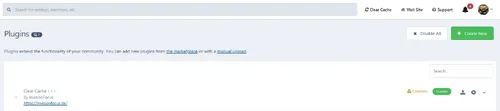
Simple small plugin to clear the system cache with one click without having to switch to the support area first.
- 2 Downloads
Submitted -
A really very simple plugin to remove the counter from forums that are used as redirects.
The idea for this comes from this thread. I found it quite good and just had some time ;)- 2 Downloads
Submitted