



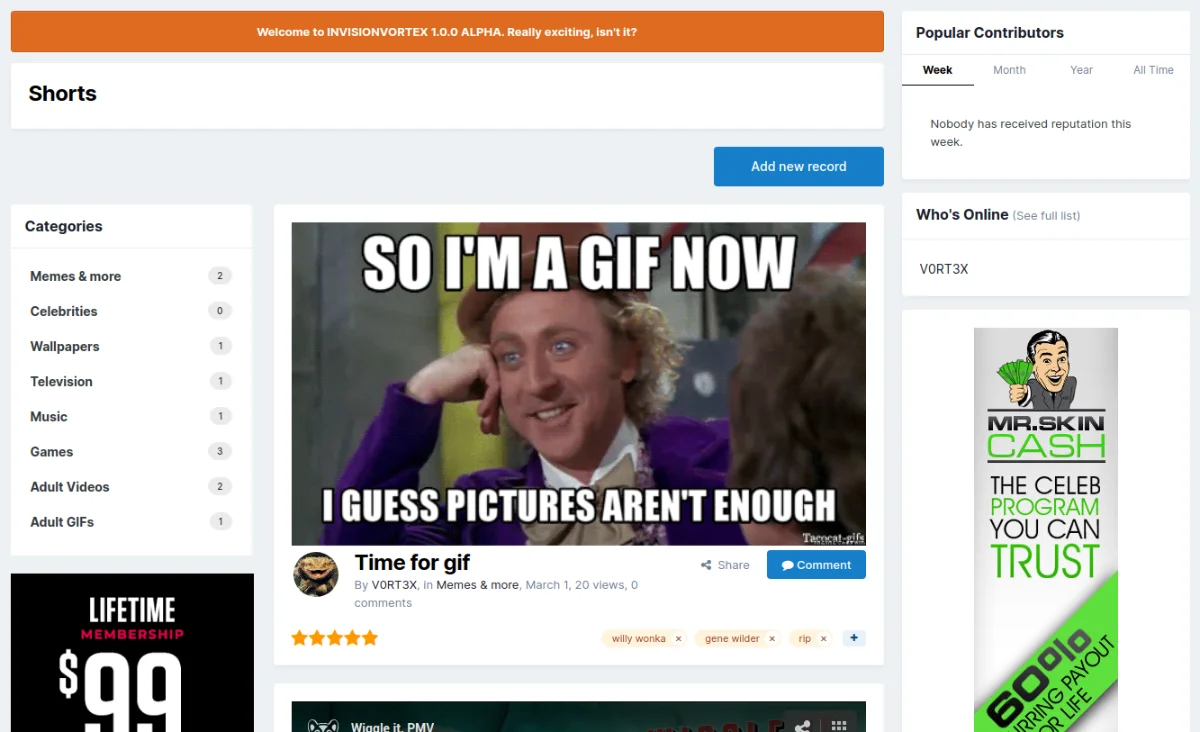
Shorts is something like Bimber for WordPress. Like a blog, but without text as content. It's more of a fun section. Authors can post pictures and videos, readers can rate and share (and of course comment).
All types of images supported by IPS can be uploaded, as well as videos in mp4 and webm formats. You can also embed clips directly from YouTube, Vimeo, Pornhub and xHamster.
This is not an application but, as the name suggests, a template set with an associated database. That's it, no custom settings, just what the basic software comes with.
SO ONLY INSTALL IT IF YOU KNOW YOUR WAY AROUND PAGES, HTML AND CSS!!!
I will do my best to answer the most important questions about the structure of the template itself, but more would go beyond the scope (after all, this is a free giveaway). It is therefore best to install it in a test environment first and only if you know what you are doing!
If you find bugs, I will of course fix them, but I will only implement feature requests to a limited extent.
Shorts ist so etwas wie Bimber für WordPress. Wie ein Blog, aber ohne Texte als Inhalt. Es ist mehr ein Spassteil. Die Autoren können Bilder und Videos posten, die Leser können bewerten und teilen (und natürlich auch kommentieren). Eine live Demo findet ihr unter diesem LINK.
Es lassen sich alle Arten von Images hochladen, die von IPS unterstützt werden, sowie Videos in den Formaten mp4 und webm. Zusätzlich lassen sich auch Clips direkt von YouTube, Vimeo, Pornhub und xHamster direkt einbetten.
Es handelt sich dabei um keine Application, sondern wie der Name schon sagt um ein Templateset mit dazugehöriger Datenbank. Das wars auch schon, keine eigenen Settings, nur das was die Basissoftware von Haus aus mitbringt.
INSTALLIERT ES DESHALB NUR, WENN IHR EUCH MIT PAGES, HTML UND CSS AUSKENNT!!!
Ich werde mir zwar Mühe geben, die wichtigsten Fragen zum Aufbau des Templates an sich zu beantworten, mehr würde allerdings den Rahmen sprengen (es handelt sich hier schliesslich um ein Free-Giveaway). Installiert es deshalb am besten zuerst in einer Testumgebung und auch nur, wenn ihr wisst was ihr tut!
Wenn ihr Fehler findet, werde ich diese selbstverständlich beheben, Featurewünsche aber nur eingeschränkt umsetzen.
You may only provide a review once you have downloaded the file.
There are no reviews to display.