



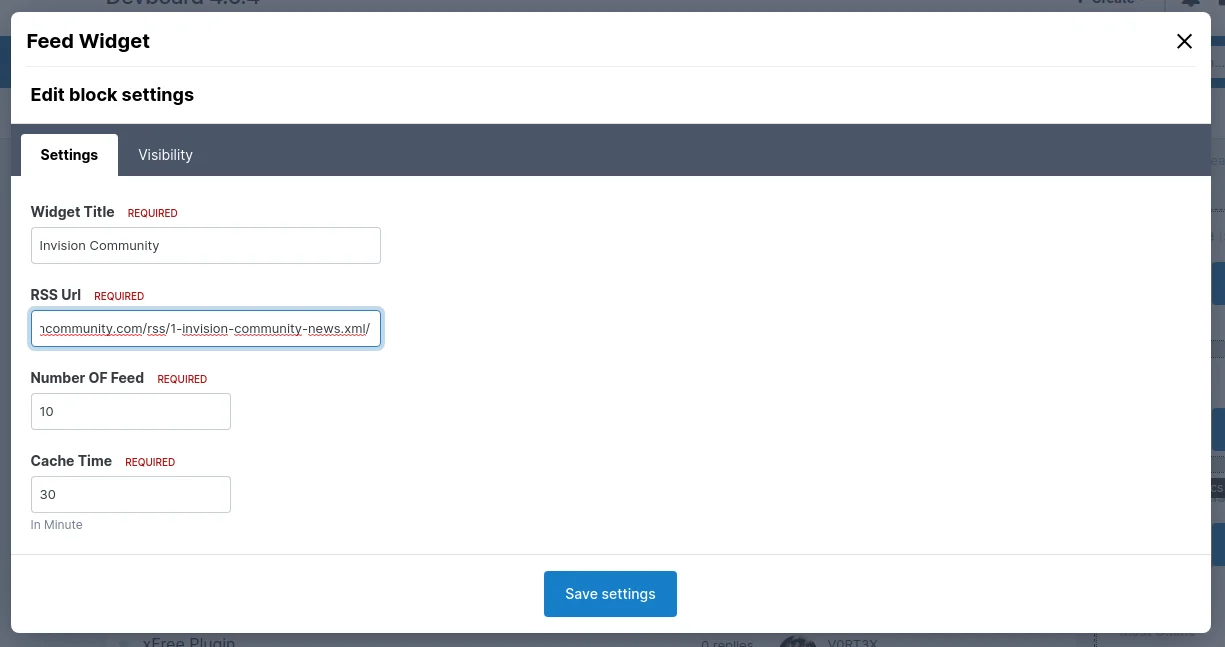

This is a new version of the old plugin by Sijad aka Mr.Wosi that has been updated for Invision Community 4.6.x.
You can use it to quickly and easily place RSS feeds of all kinds in a widget anywhere on your site.
You can set the number of articles displayed and the cache time.
All settings can be found directly in the frontend in the widget settings.
Hierbei handelt es sich um eine für Invision Community 4.6.x aufbereitete Version des alten Plugins von Sijad aka Mr.Wosi.
Ihr könnt damit schnell und einfach RSS-Feeds aller Art in einem Widget überall auf eurer Seite platzieren.
Einstellbar sind die Anzahl der angezeigten Artikel und die Cache-Zeit.
Alle Settings findet ihr direkt im Frontend in den Einstellungen des Widgets.
You may only provide a review once you have downloaded the file.
There are no reviews to display.