


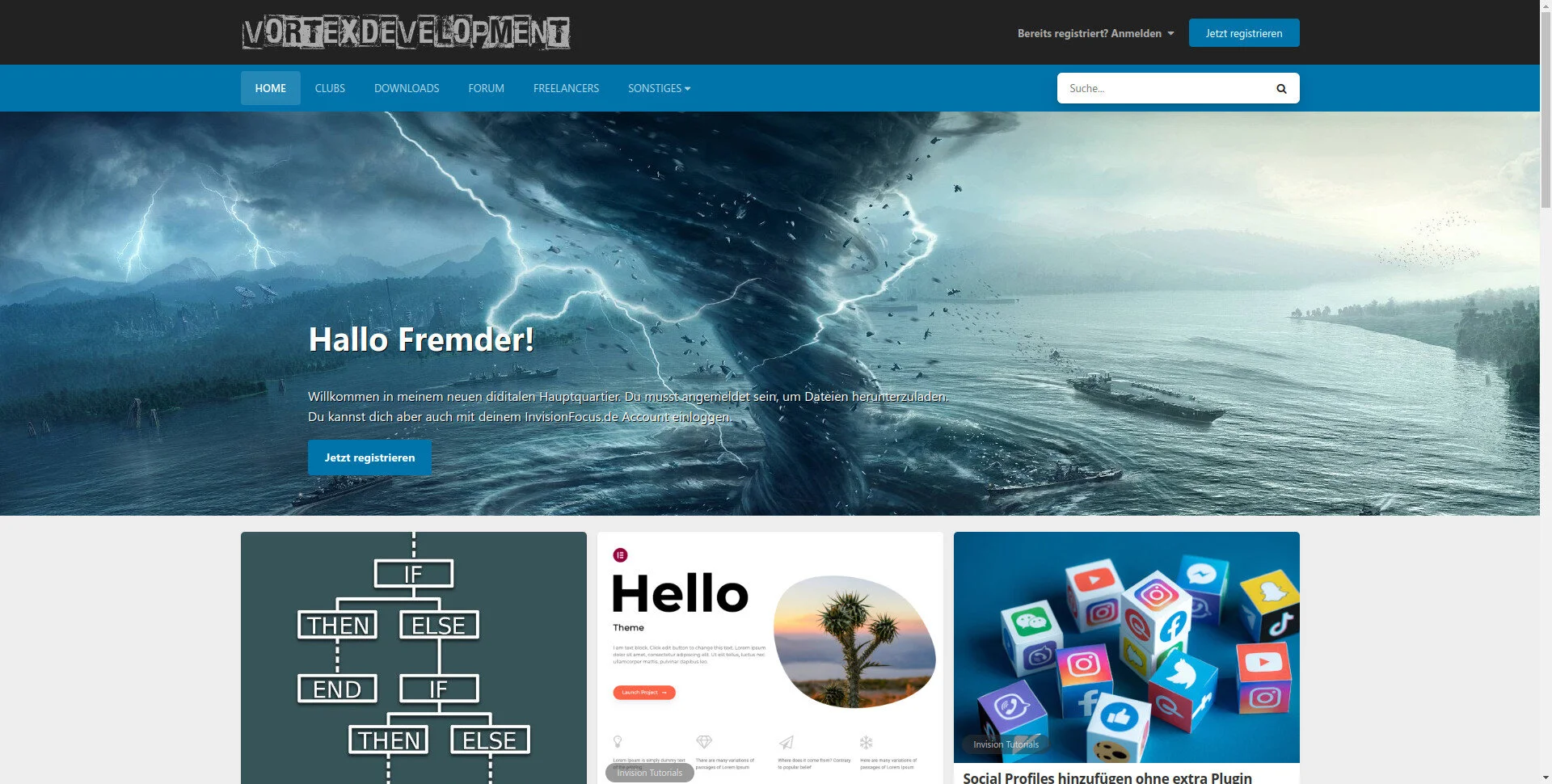
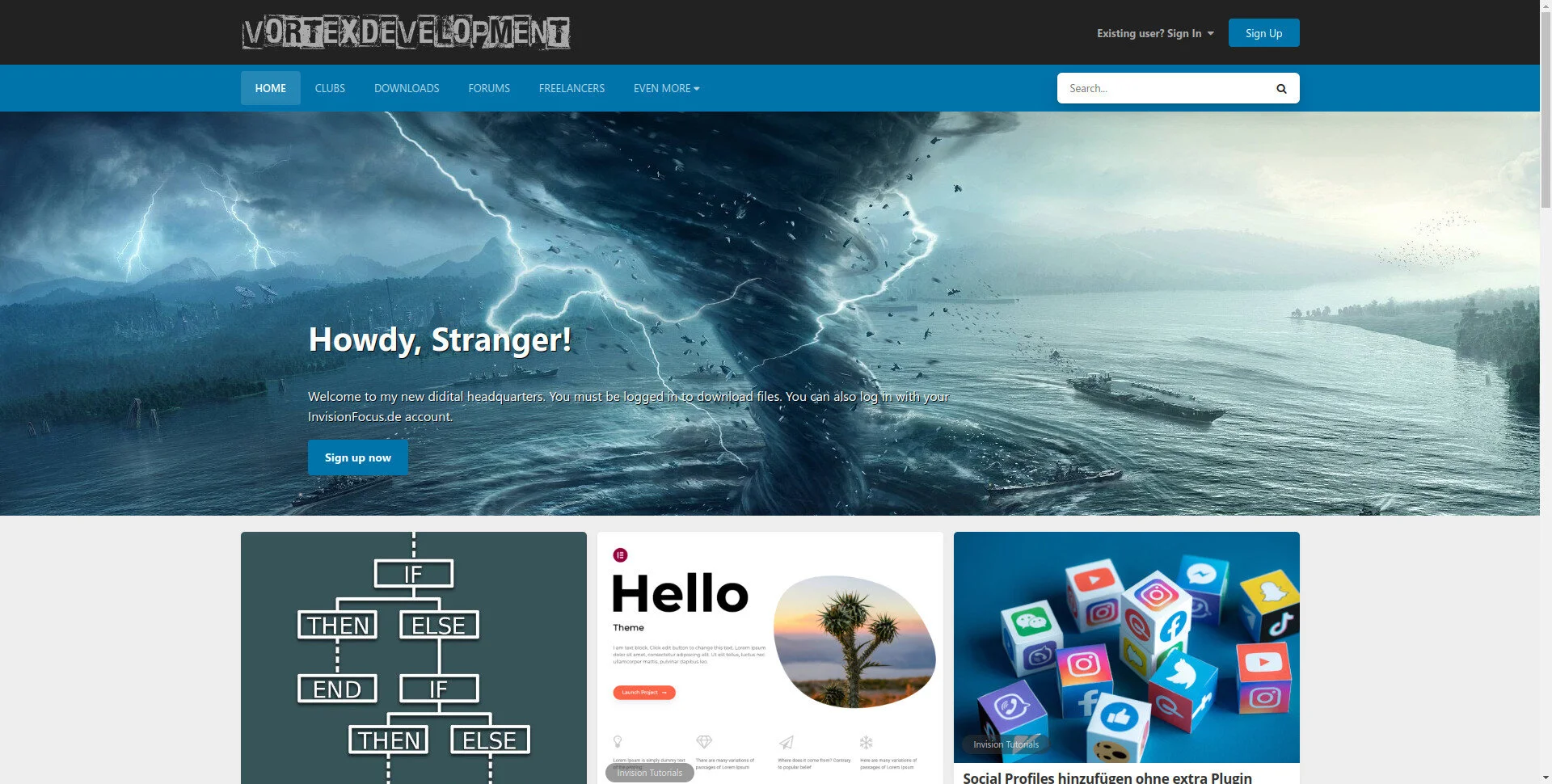

This is a new version of my old Welcome Header plugin, but now as an application and with many more features!
As there are ...
Groups - Which user groups will see the image
Themes - In which themes it will be displayed
Pages - Display on request globally, on selected "Pages", or only above the forum. This system is quite extensible and can be extended to other applications like downloads, commerce and even third party applications if you don't want to have it everywhere automatically. Just ask me in the support thread if you are interested.
Button - The call-to-action can optionally be disabled.
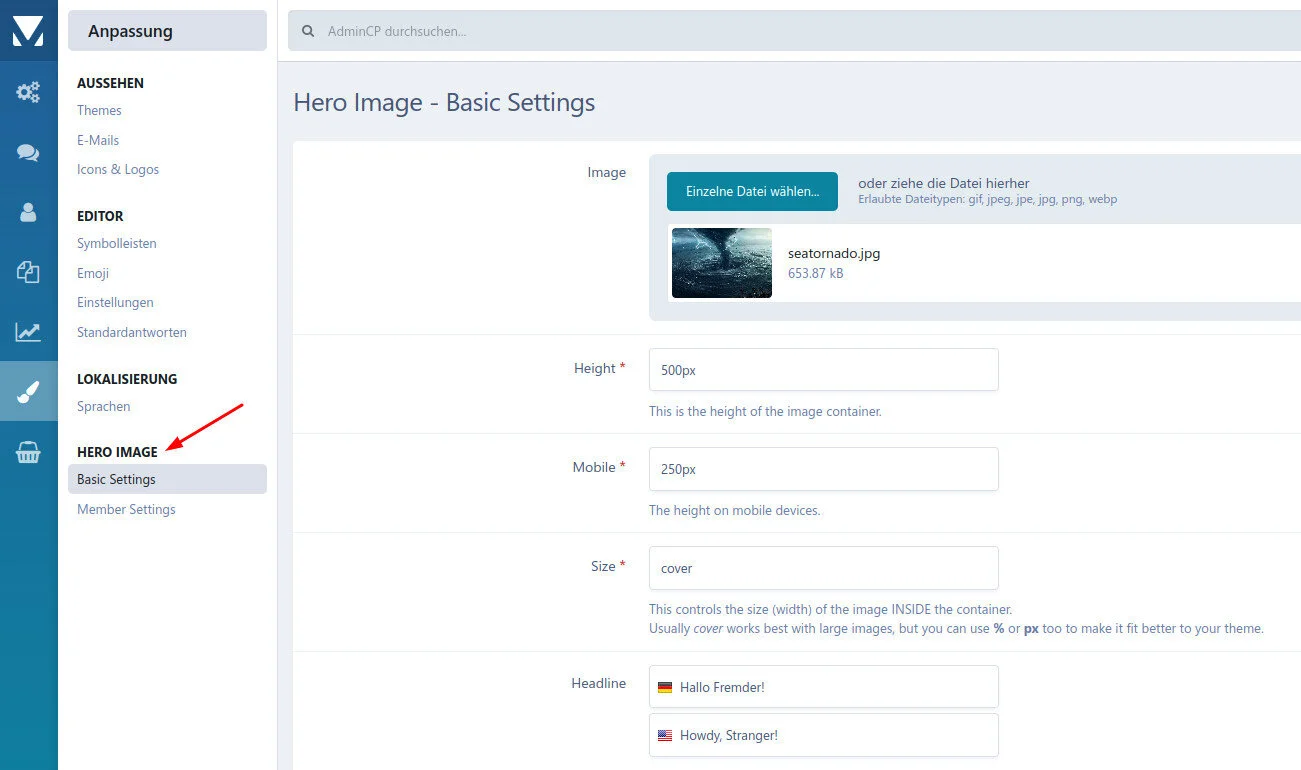
Size - Height and width of the image can be configured separately for desktop and mobile.
Multilingual - All texts (headline, content and button) can be customized for any installed language!
And here it comes ...
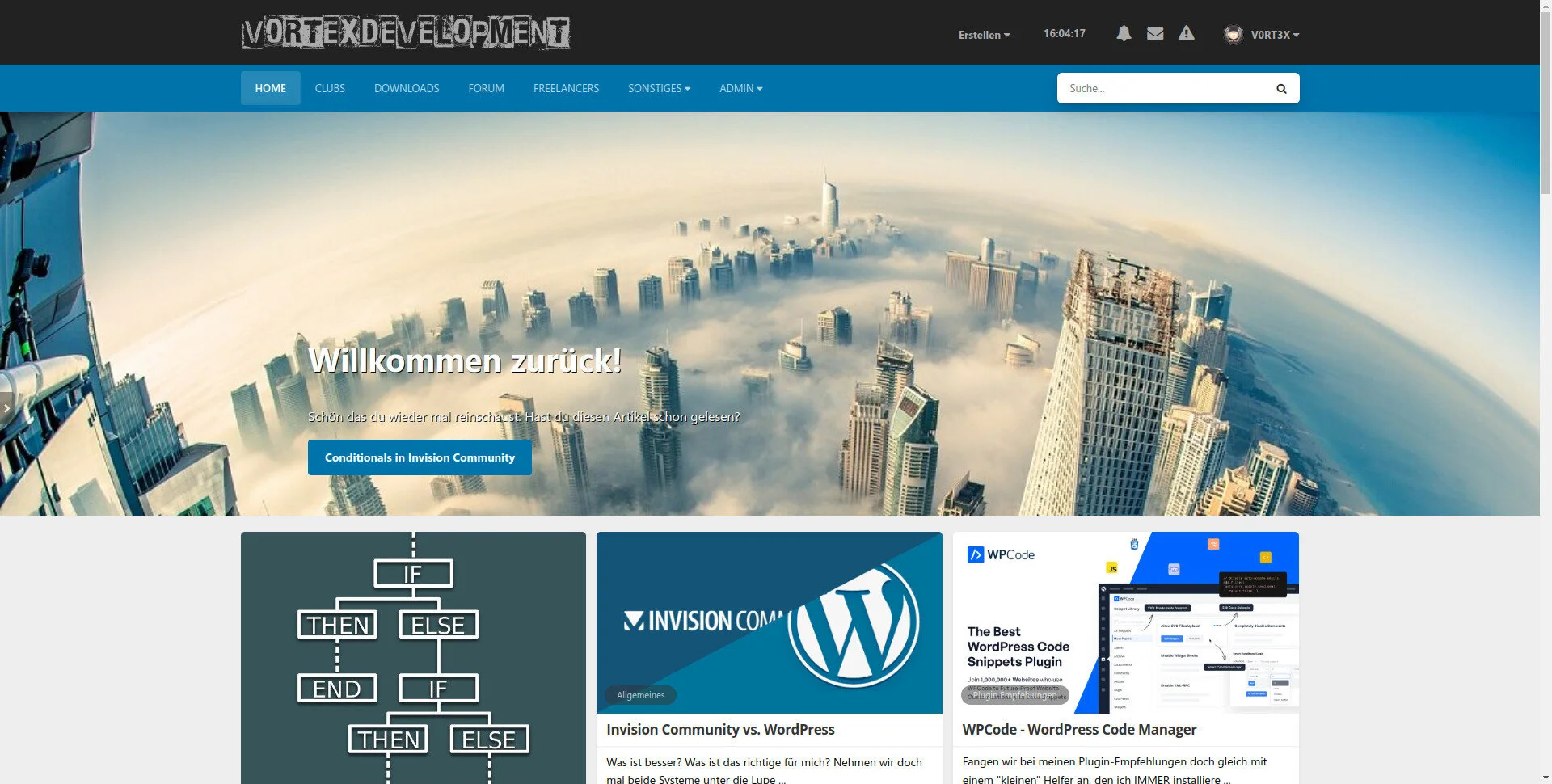
Members - If activated, you can use a different image and completely different texts for logged in users. Of course also in every language.
All this as always without visible copyrights and completely for free.
What do you mean, it costs nothing? Is there no catch? No, I use it myself and like to share.
Dies ist eine neue Version meines alten Welcome Header Plugins, allerdings jetzt als Application und mit viel mehr Features!
Als da wären ...
Gruppen - Welche Benutzergruppen sehen das Image
Themes - In welchen Themes wird es angezeigt
Seiten - Anzeige auf Wunsch Global, auf ausgewählten "Pages", oder nur über dem Forum. Dabei ist dieses System durchaus erweiterbar und kann auch auf weitere Anwendungen wie Downloads, Commerce und sogar von Drittanbietern erweitert werden, wenn ihr es nicht automatisch überall haben wollt. Sprecht mich bei Interesse einfach im Supportthread darauf an.
Button - Der Call-to-action kann optional deaktiviert werden.
Grösse - Höhe und Breite des Bildes können für Desktop und Mobile separat konfiguriert werden.
Multilingual - Alle Texte (Headline, Content und Button) können für jede installierte Sprache angepasst werden!
Und jetzt kommts ...
Members - Wenn aktiviert, könnt ihr für eingeloggte Benutzer ein anderes Bild und komplett andere Texte verwenden. Natürlich auch in jeder Sprache.
Das alles natürlich wie immer ohne sichtbare Copyrights und komplett gratis.
Wie jetzt, kostet gar nichts? Ist da kein Haken? Nein, ich benutze sie selbst und teile gerne.
You may only provide a review once you have downloaded the file.
There are no reviews to display.