



Mobile first! This is not only Google's motto, more and more people are online with their smartphones these days. Therefore, it is very important to have a fast and easy navigation on your pages especially in the mobile view.
Nothing is more annoying than having to open a sidebar first and then navigate to sub-items to get to where you want to look up something quickly.
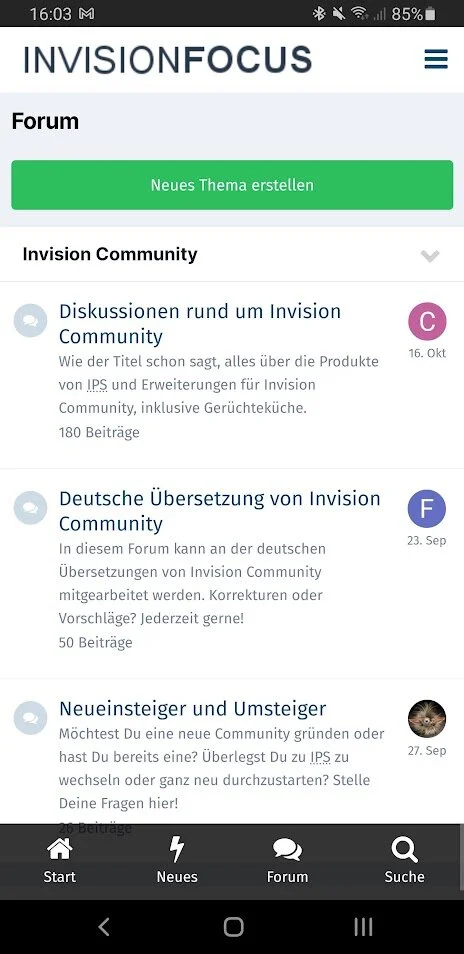
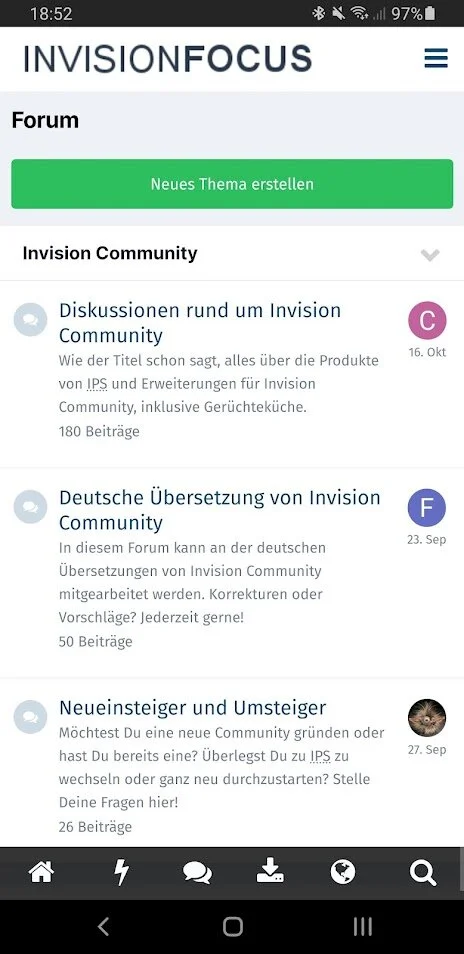
And that's where this plugin comes in. You can configure up to 10 buttons with whatever you want, they are always and everywhere visible at the bottom of your pages, there is no need to scroll down. Also the appearance can be easily adapted to your design.
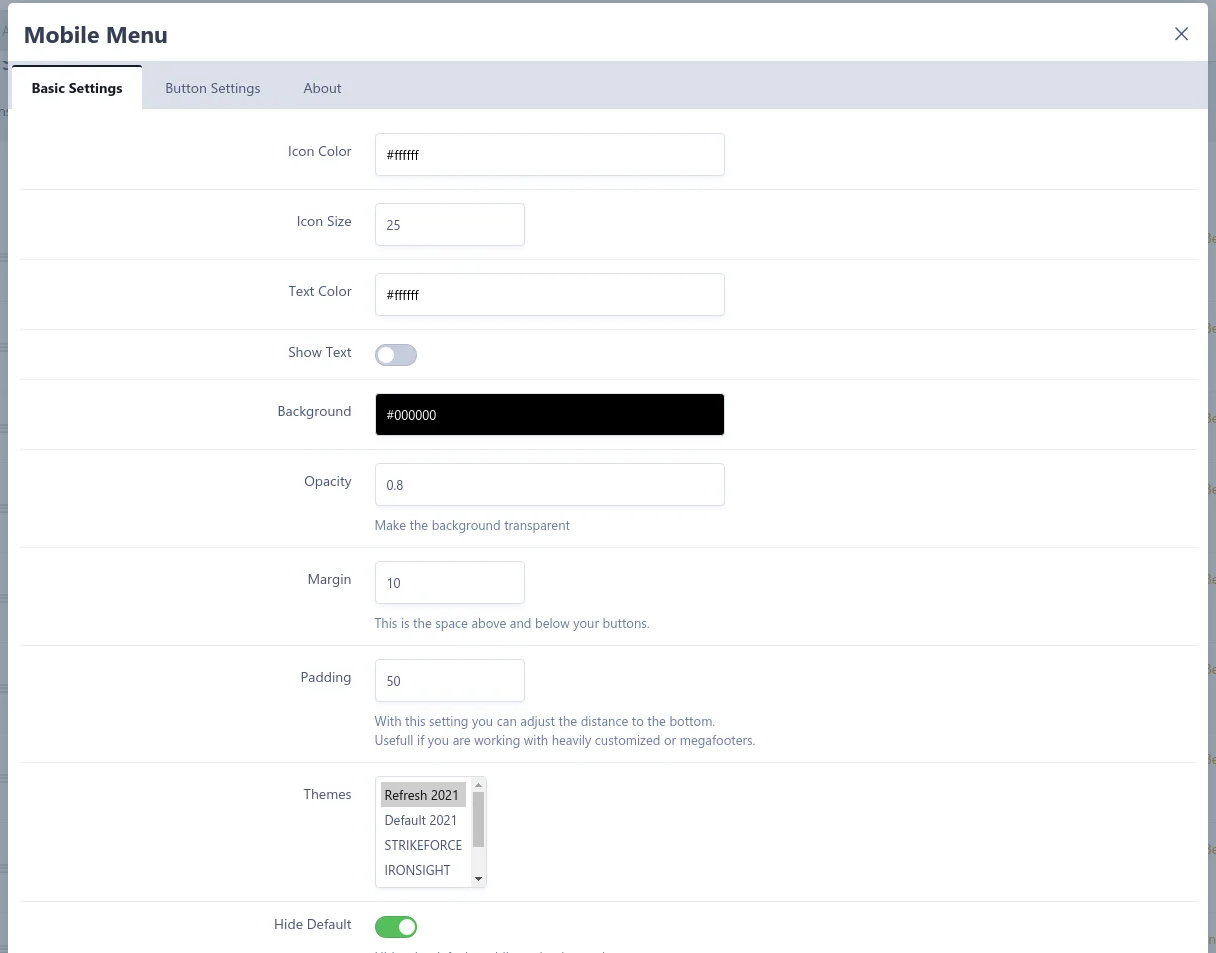
Among other things, you can set ...
- Color and size of the icons, which can be selected individually from Font Awesome.
- Optionally display a text below the icons (also with color of your choice).
- Background color of the menu including transparency effect if desired.
- Even a choice of themes in which the menu should be displayed is possible.
- The now superfluous IPS navigation below the header can be hidden if desired.
What URLs you assign to the buttons is up to you. Instead of board functions, you can also create quicklinks for your social media sites or Discord servers.
There are also two small settings for fine-tuning if you use more complex themes or footers. The only thing that seems to be missing is a visible copyright :D
So what else is there to think about, your users will thank you for it ;)
Mobile first! Das ist nicht nur Google's Motto, immer mehr Menschen sind heutzutage mit dem Smartphone online. Besonders wichtig ist in der mobilen Ansicht deshalb eine schnelle und einfache Navigation auf euren Seiten.
Nichts ist ärgerlicher, als wenn man erst ein Seitenmenü öffnen und dann am besten noch Unterpunkte ansteuern muss um dorthin zu gelangen, wo man mal eben schnell etwas nachschauen will.
Und genau da kommt dieses Plugin ins Spiel. Ihr könnt bis zu 10 Buttons komplett frei konfigurieren, sie sind immer und überall unten auf euren Seiten sichtbar, es muss nicht extra runtergescrollt werden. Auch das Aussehen lässt sich ganz einfach an euer Design anpassen.
Einstellen könnt ihr unter anderem ...
- Farbe und Grösse der Icons, die aus Font Awesome individuell ausgewählt werden können.
- Optional einen Text unter den Icons anzeigen (ebenfalls mit Farbe eurer Wahl).
- Hintergrundfarbe des Menüs inklusive Transparenzeffekt wenn gewünscht.
- Sogar eine Auswahl der Themes in denen das Menü angezeigt werden soll ist möglich.
- Die nun überflüssige IPS-Navigation unter dem Header lässt sich auf Wunsch ausblenden.
Was für Links ihr den Buttons zuweist liegt dabei ganz bei euch. Anstelle von Boardfunktionen könnt ihr auch Schnellzugriffe für eure Social-Media-Auftritte oder Discord-Server anlegen.
Dazu gibt es noch zwei kleine Settings zum Finetuning, falls ihr komplexere Themes oder Footer verwendet. Das einzige was es nicht zu geben scheint, ist ein sichtbares Copyright :D
Was gibt es also noch zu Überlegen, eure User werden es euch danken ;)
You may only provide a review once you have downloaded the file.
There are no reviews to display.