



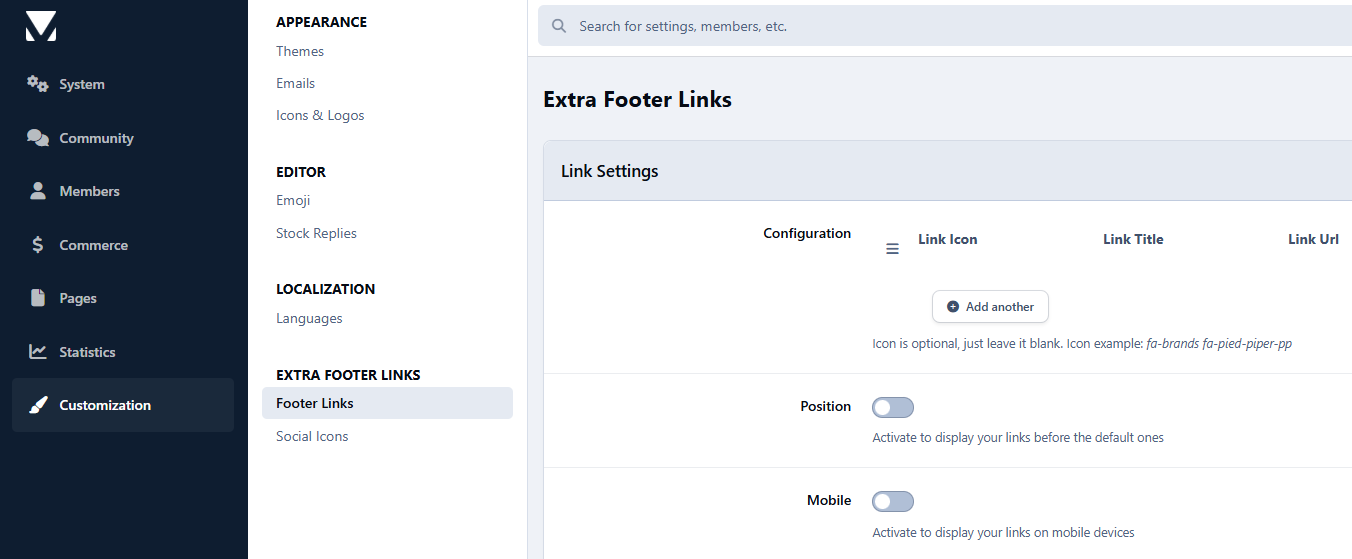

Another classic is finally available for IC5, and this time it has brought something with it...
As with the original plugin, you can not only add as many links as you want to your footer in no time at all, but you can now also choose whether they should be displayed before or after the standard links. Optionally, the extra links can be disabled in the mobile view to save space.
The really big innovation in this application is that you can now add social profiles too. You can choose which icon to use for this, as well as the background color when you hover over it.
So you could say you get two add-ons for the price of one, if it weren't free anyway ;)
Ein weiterer Klassiker ist nun endlich für IC5 verfügbar und diesmal hat er etwas mitgebracht ...
Wie bei dem original Plugin könnt ihr nicht nur beliebig viele Links im Handumdrehen zu eurem Footer hinzufügen, ihr könnt dabei jetzt auch auswählen, ob sie vor oder nach den Standardlinks angezeigt werden sollen. Optional können die extra Links in der mobilen Ansicht deaktiviert werden, um Platz zu sparen.
Die wirklich grosse Neuerung bei dieser Application ist aber, dass ihr nun auch Social Profiles hinzufügen könnt. Welches Icon ihr dafür verwendet ist frei wählbar, genauso wie die Hintergrundfarbe beim Mouseover.
Man könnte also sagen, ihr bekommt zwei Addons zum Preis von einem, wenn es nicht sowieso gratis wäre ;)
You may only provide a review once you have downloaded the file.
There are no reviews to display.