
SHUTTERWORK
Administrators
-
Joined
-
Last visited
Everything posted by SHUTTERWORK
-
Habe ich gerade neulich noch mit Eagle ein sehr gutes Tool zur Bildverwaltung vorgestellt, bekommt dieses auch schon Konkurrenz: LAP. Es läuft ebenfalls auf eurem Rechner ohne integrierte Cloud-Funktion und wurde mit Rust, SQLite, Tauri und Vue erstellt, was es leichtgewichtig macht und gleichzeitig sehr große Sammlungen bewältigt. Der Unterschied zu Eagle ist allerdings, dass LAP auf eurer bestehenden Ordnerstruktur aufsetzt. Ausserdem ist es nicht nur gratis (wobei ich fairerweise anmerken muss, dass es sich bei Eagle um kein Abomodel handelt, sondern als Einmalkauf zu einem sehr fairen Preis daherkommt) sondern Open Source. Ein weiterer Pluspunkt ist die Verfügbarkeit für Linux, nicht nur Windows und Mac. Ebenfalls anzumerken ist, dass sich LAP noch in einer frühen Entwicklungsphase befindet, der erste offizielle Release auf GitHub war im Februar. So funktionierte bei kurzen Tests die AI-Suche, also das Main Feature, nur auf Englisch und war nicht so der Hammer. Aber was nicht ist kann ja noch werden. Da ich es nicht produktiv nutze und nur ein paar Samplepics drin habe, hier ein ausführlicheres Demovideo des Entwicklers ... Alle Docs und den Download findet ihr auf GitHub, viel Spass damit.
-
-
-
-
My movie of the year 2024
-
Changed Genres to Comedy, Horror
-
When I started taking photos in 2024, it was clear that I wanted to put the pictures online. Of course, I needed a suitable domain name for this, which isn't so easy these days because all the really good ones are already taken. An ultra-long one with hyphens and/or my name in it was out of the question for me. It had to be catchy and easy to remember. And so I came up with imagemayhem.com, because I knew the owner and knew that he wasn't using it anymore. I already liked the domain back then, and it also fit well with my concept. I didn't want to take the same photo in the same style over and over again; I wanted my portfolio to be a chaotic mess. Of course, it was perfect for that. But you also evolve, and so I decided to rebrand at the end of 2025 ...
-
My first starred image with amazing Dharma at the end of 2025, back then still as IMAGEMAYHEM. To be honest, I was quite surprised because I thought I would never get one, not even my trifecta got starred.
-
Not bad for a free account with 10 photos on the sedcard?
-
Changed Selected to Yes
-
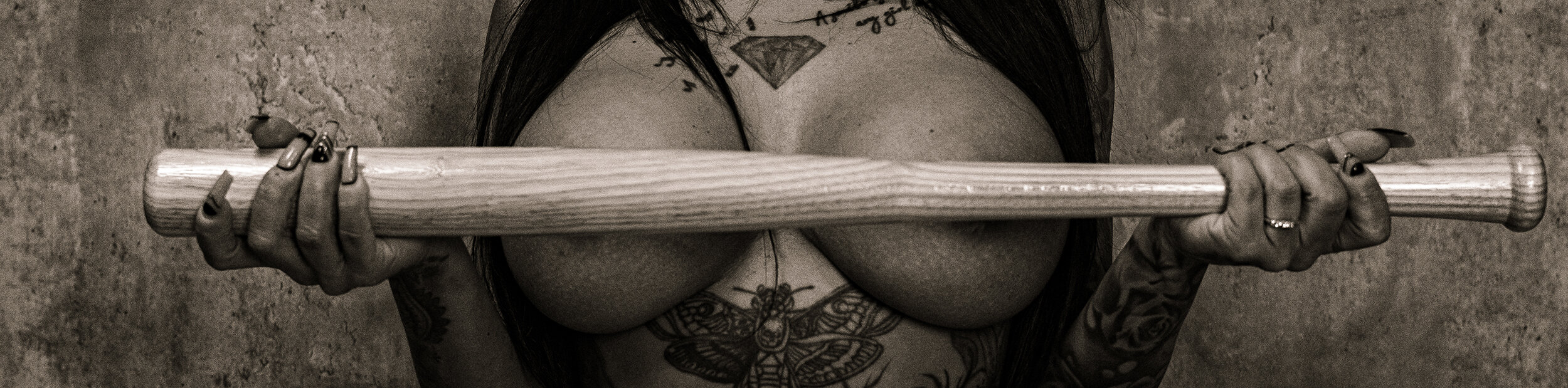
It's pretty harsh what gets removed on AdultFolio these days. Some things are understandable, but a baseball bat and a pose that doesn't even remotely look like a fight?
-
-
-
-
-
-
-
-
-
-
-
-
-
-